
Fix Google Calendar Date Format for Global Users
Overview
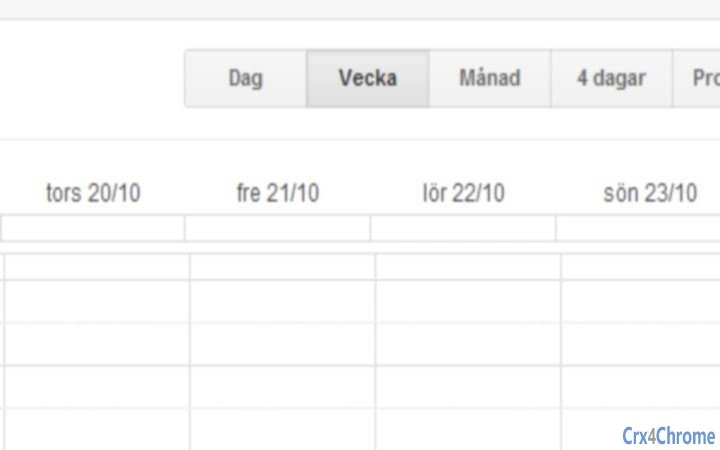
The Google Calendar Date Format Fixer is a browser extension designed to resolve inconsistencies in date display across various calendar views. It specifically addresses issues where the short date format appears as month/day in views such as Day, Week, and Four Days—commonly problematic in regions where day/month is the standard convention, such as Sweden. The tool ensures that both short and long date formats display correctly simultaneously, a challenge that often arises when adjusting settings manually.
Target users include professionals, students, and individuals who rely on Google Calendar for scheduling across multiple time zones or language settings. The extension is particularly beneficial for users in non-US locales where date formatting standards differ significantly from the default US format. It supports multilingual environments and helps maintain consistency in personal and professional calendar usage across devices.
While the developer’s background is not publicly documented, the extension has been maintained through several updates, indicating ongoing support. The tool operates entirely within the browser, requiring no installation beyond enabling the extension, and functions seamlessly with existing Google Calendar workflows.
Key Features & Capabilities
- Dynamic Date Order Adjustment – Automatically swaps the day and month positions in short date formats, ensuring compatibility with regional conventions like day/month (e.g., 25 oktober 2023).
- Simultaneous Format Accuracy – Enables correct display of both short and long date formats without requiring conflicting settings changes.
- Multi-Time Zone Support – Resolves display issues when multiple time zones are active in the calendar view.
- Language-Aware Formatting – Adapts to regional language rules, such as removing the Swedish "den" prefix (e.g., "oktober 2023" instead of "den oktober 2012").
- Compatibility with Google Calendar Updates – Updated to work with the migration from
www.google.com/calendartocalendar.google.com/calendar, ensuring continued functionality.
Users can expect seamless integration into daily calendar routines, especially when managing international meetings, travel plans, or team collaborations across regions. The extension runs in the background without disrupting workflow, offering a reliable fix for a persistent formatting issue that affects usability and clarity.
User Interface, Workflow & Performance
The extension operates entirely within the browser environment and does not include a dedicated user interface. It functions automatically upon activation, requiring no manual input or configuration after installation. Users are not prompted to adjust settings, making the workflow efficient and unobtrusive.
Navigating Google Calendar remains unchanged, with the extension silently modifying date display behavior. The tool integrates with the existing calendar interface without adding visual clutter or performance overhead. The developer did not specify resource usage details, but based on general behavior of lightweight browser extensions, it is expected to consume minimal CPU and RAM.
Stability appears to be consistent, with updates addressing critical bugs such as failure under multi-time zone conditions and compatibility breaks caused by Google’s infrastructure changes. No reports of crashes or conflicts with other extensions were noted in available documentation.
Compatibility & System Requirements
The extension is compatible with Windows, Mac, and Linux operating systems, supporting modern web browsers that allow Chrome extensions. It has a file size of 1.4 MB, indicating a lightweight footprint.
Exact system requirements were not listed. However, compatibility with Google Calendar suggests it requires a browser with active JavaScript support and access to the Google Calendar web application. The extension does not require administrative privileges or additional software installations.
Installation is straightforward—users need only enable the extension through their browser’s extension manager. After updating to version 1.2, users may need to re-enable the extension due to the Google domain change, a minor step that ensures continued functionality.
Pros and Cons
Pros
- Resolves a common and frustrating date formatting inconsistency in Google Calendar.
- Enables correct display of both short and long date formats simultaneously.
- Supports multilingual and multi-regional date conventions.
- Lightweight and unobtrusive with no visible UI.
- Regularly updated to maintain compatibility with Google’s platform changes.
Cons
- No user interface for customization or feedback.
- Requires re-enabling after certain updates, which may confuse some users.
- Dependent on browser extension support and Google Calendar’s web interface.
- Does not support offline calendar usage.
FAQ Section
Is this extension compatible with all browsers?
The extension is designed for browsers that support Chrome extensions, including Google Chrome, Microsoft Edge, and others with compatible extension ecosystems. Specific browser compatibility details were not provided.
Is the extension safe to use?
Yes, the extension operates within the browser’s security model and does not access or transmit user data. It only modifies the display of dates on the Google Calendar web interface.
How often are updates released?
Updates are released as needed to maintain compatibility with Google Calendar’s infrastructure changes. The latest version, 1.2, was released in 2023 to address recent platform updates.
Does it work with multiple time zones?
Yes, version 1.1 and later include fixes for issues that occurred when multiple time zones were displayed in the calendar view.
Can I use this tool offline?
No, the extension requires an active internet connection and access to the Google Calendar web application to function.
Final Thoughts + CTA
The Google Calendar Date Format Fixer delivers a precise and valuable solution to a widespread formatting issue affecting users worldwide. Its ability to maintain accurate date displays across different regional standards without conflicting settings makes it essential for international users. While it lacks a user interface, its silent, reliable operation ensures a frictionless experience.
Professionals managing cross-border teams, students coordinating with global peers, and anyone who values clarity in scheduling will benefit most from this tool. It is a small but powerful utility that enhances productivity by eliminating confusion caused by inconsistent date formats.
Download Google Calendar Date Format Fixer now to ensure your calendar always displays dates correctly—regardless of your location or language setting.







